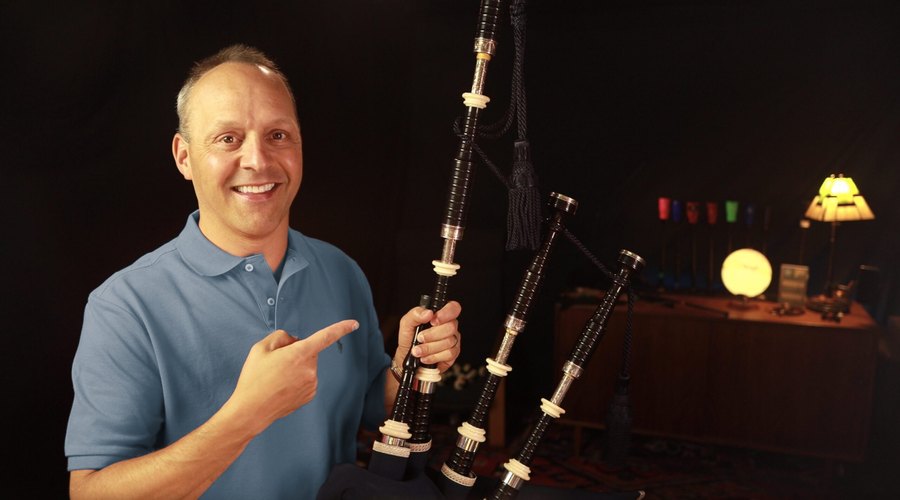


▶ Video lessonProduct guide
Getting Started with the InTune Mic for Faster & Easier Bagpipe Tuning
Pair the InTune Mic with your phone, open the Braw Bagpipe Tuner, and calibrate it to your low A. Then tune the three drones with the mic about half an inch above each one, and tune the chanter by moving tape on single notes or raising and sinking the reed for groups of notes. When you play in a band, you set the band's pitch in the tuner by hand.
The Main Ideas
In this video I show you how to get started with the InTune Mic and get your pipes in tune faster, easier and with greater precision, whether you are tuning up to play on your own or with a band.
We pair the mic with a phone, download the Braw Bagpipe Tuner app, calibrate it to my low A, and then tune the three drones and the chanter. I also show you where I like to clip the mic, and why it needs to be close to the one sound you are tuning.
Then I explain how tuning for a band is different from tuning on your own, and how to read the nine notes on the tuner so you know when to move tape and when to raise or sink the reed.
At a glance
| In the box | The mic, the receiver and a charging cord |
|---|---|
| Paired when | The mic light turns solid green |
| Tuner app | Braw Bagpipe Tuner, for iPhone and Android |
| Playing on your own | Drones match each other and your low A, the master note |
| Playing in a band | Set the band pitch (for example 482) with "set manually" |
| Mic on the chanter | Near the bottom, at the side or the back |
| Mic on a drone | About half an inch above the top, without plugging the hole |
| Fixing notes | Tape for single notes, the reed for the whole top hand |
Video highlights
“The low A is the master note.”
“The best place I’ve found to clip the InTune Mic on the chanter is to clip it on the bottom, pretty close to the bottom.”
“It displays all nine notes at once, unlike other tuners that display a single note and it only displays the note when you’re playing it.”
“Raising a reed will flatten the notes, it’ll flatten the high A the most and then the high G the second most and so on.”

Free guideBagpipe Tuning Made EasyA free guide to tuning your pipes more easily, a good next step after getting your InTune Mic set up.
Get the free guideThe gear in this video
Your questions, answered
Tap a time to watch that part of the video.
What comes in the box with the InTune Mic?
When you open it up, there is a charging cord, the mic itself and the receiver.
How do I pair the InTune Mic with my phone?
Turn on the mic by pushing the button on the back. Flashing red and green means it is waiting to be paired. Plug the receiver into your phone, and when the light on the mic turns solid green, the mic and receiver are paired and the sound goes to your phone instantly.
Which tuner app should I use with the InTune Mic?
I use the Braw Bagpipe Tuner. It is available for iPhones and for Android, and the link to download is in the video description. Braw is Scottish slang for great, and it truly is a great tuner.
How do I tune my bagpipes when playing on my own?
Get your three drones in tune with each other and with your low A, which is the master note. When you play on your own, the exact pitch is not as important, but the drones must match each other and the low A.
Where do I clip the InTune Mic on my chanter?
Clip it on the bottom, pretty close to the bottom. I prefer it at the side or the back, because that way it is out of the way of your hands.
What makes the Braw Bagpipe Tuner different from other tuners?
It displays all nine notes at once and keeps the display for each note. It also listens continuously and averages what it hears, so you can just play a tune and see what is happening with all of your notes.
How do I calibrate the Braw Tuner to my low A?
Tap the low A button and choose calibrate now. Then play a low A. It gives you five seconds to get ready.
What is the best way to auto-calibrate to my low A?
I prefer to play for a little while, with tunes and tuning phrases, in a more natural way. Then I hit the low A button and choose "Use current average." That is the average of all the readings it took of my low A, and the tuner is calibrated.
How do I tune my outside tenor drone with the InTune Mic?
Take the mic off your chanter and start with the outside tenor. You are looking for the tenor tuning to be displayed right in the center, on the arced line, and also straight in the middle on the tenor line.
Where do I put the InTune Mic when tuning drones?
As close as you can to the top of the drone without actually plugging the hole, just about half an inch away. That way the mic only hears that drone. The tuner can only listen to one sound at a time, either a drone or the chanter.
How do I set my pitch when playing in a pipe band?
In a band, you match a specific pitch. The pipe major might say, "We are going to be at 482," so you bring your drones and chanter to that number. In the tuner, click set manually and type in the number, then use it to tune your drones.
Where should I put the InTune Mic on my chanter in a band?
Clip it to the bottom of the chanter with the mic behind, between your body and the chanter. I find that gives the cleanest reading in a band. At home, if you are the only bagpipe around and it is quiet, having it on the front is fine.
How do I tune individual notes on my chanter?
Start with the notes that are most out of tune. If a note is a little sharp, add a bit of tape. If a note is flat, take some tape off. I like my high A slightly flat, just to the left of the center line.
When should I raise or sink the reed, and when should I move tape?
If one or two notes are off, move tape. If a whole bunch of top hand notes are sharp, raise the reed, which flattens them. If the top hand notes are flat, push the reed deeper to sharpen them. The high A is affected most, then the high G, and each note below a little less.
Each week, the Inner Circle's lively sessions are designed to benefit pipers of all skill levels, all around the world.
LEARN FASTER. FIND GREATER ENJOYMENT FROM YOUR PIPING. JOIN ME.
Join the Inner CircleFull video transcript
0:00 Introduction
Today, I’m going to show you how to get started with the InTune Mic and how to get your pipes in tune faster, easier, and with greater precision whether you’re tuning up to play on your own or with the band. So, let’s get started!
When you get your InTune Mic, you open it up. There’s the charging cord, there’s the mic itself, and then there’s the receiver. So, you can turn on the mic by pushing the button on the back, and you’ll see it’ll be flashing red and green. That means the mic is waiting to be paired. Take your smartphone and plug it in. Once you plug in the receiver and it gets power from your phone, you’ll see the light on the microphone turns solid green. Then, you know the mic and the receiver are paired and the sound from the microphone is getting transmitted instantly to your phone.
0:26 Indicator lights and pairing the mic with your phone
The next thing you’re going to want to do is download the Braw Bagpipe Tuner app. It’s available for iPhones and also for Android. The link to download is in the description below. Braw is Scottish slang for great and it truly is a great tuner. If it’s your first time using the Braw tuner, you are going to see how amazing it really works with the InTune Mic and how quickly you’re going to be able to get your pipes in tune. Okay, so let’s get started if you’re tuning your pipes on your own.
0:54 Download the Braw Bagpipe Tuner app
What you want to do is get your three drones perfectly in tune with each other and also in tune with the low A. The low A is the master note. When you’re playing on your own, the exact pitch is not as important, but what you want is that the drones match each other and they match the low A. So, the process we’re going to go through is we’re going to use the Braw tuner app and the InTune Mic first to get a reading off of the low A on the chanter and then we calibrate the tuner to that low A and then we move the mic to the drones we get the drones in tune. So, here goes.
1:18 Bagpipe tuning when playing on your own
The best place I’ve found to clip the InTune Mic on the chanter is to clip it on the bottom, pretty close to the bottom. You could have it in front of the chanter but I actually prefer to the side or to the back because that way it’s going to be out of the way of your hands. So, there it is on the back. I’m going to play for a little bit, you’ll see the Braw tuner responds to what I’m playing.
1:59 Where to attach the InTune Mic on your chanter
And you see that, as the tuner is listening to the different notes that I play, it’s reading the note and it’s adjusting on the display. That is one of the most amazing features of the Braw bagpipe tuner. It displays all nine notes at once, unlike other tuners that display a single note and it only displays the note when you’re playing it. The Braw tuner displays all nine notes and it keeps the display for each note. The other amazing feature that the Braw tuner does is it listens continuously and it’s averaging what it hears for each note. So, you don’t have to just play a single note or you don’t even have to play a scale, you can just play a tune and the tuner will listen and you’ll get to see what’s happening with all of your notes. Check it out.
2:19 Key features of the Braw Bagpipe Tuner
So, that’s pretty close, but we want to make sure that this tuner is perfectly calibrated to the sound that’s coming off my low A. That circle at the check box is just about on the center line, but it’s not quite right. So, what we’re going to do is we’re going to calibrate the tuner by clicking on the low A button. And we have a couple of choices. One, we can say calibrate now and then we can actually play a low A. So, let’s do that. It’s going to give us five seconds to get ready.
3:40 Calibrating the tuner to your Low A
That is actually not the way that I like to do it. What I would prefer is to just play for a little while. So, I’m playing tunes, I’m playing tuning phrases, I’m playing in a more natural way rather than just playing low A, staring at the tuner. And then we will auto-calibrate. So, first, I’m going to just play for a little bit.
Thank you. Good to play for a little bit. The tuner is listening and it’s showing what my low A pitch was. There, I’m going to hit the low A button and I’m going to say, “Use current average.” So, the current average is the average of all the readings that it just took off my low A. It’s the reading of my low A pitch and it says 478.9 and I say, “Use current average.” Bang! Now the tuner has been calibrated. So, if I play my low A again, it should be perfectly in tune. Now we have a reading off the low A.
5:08 Auto-calibrate the tuner to your Low A
Now let’s tune the drones. So, take the InTune Mic off of your chanter and let’s start with the outside. I’m looking for the tenor tuning to be displayed right in the center on that sort of arced line and also showing on the tenor line that it’s straight in the middle.
5:35 Tuning your outside tenor drone
My pipes still don’t sound in tune because I’ve only got one drone in tune. Let’s move on to the middle tenor. Now the key thing when you’re using the InTune Mic is you want it to be as close as you can to the top of the drone without actually plugging the hole. Just about half an inch away. And what that means is that the microphone is only going to be hearing that drone, and that is key for the tuner to work properly. The tuner can only listen to one sound at a time, either a drone or the chanter. So, that’s the genius of the InTune Mic is that it allows you to get that mic right up to the sound of that drone.
6:35 Where to place the InTune Mic on the drones
I’ve actually made some sound recordings on my phone using the InTune Mic and when you have the mic right above the drone like that, that is all that you hear. Just imagine plugging one of your ears – completely blocking it off and then putting your other ear a half inch from the top of the drone, all you’re going to hear is that drone. That’s what the mic allows you to do so that your tuner hears just that drone. So, here we go now tuning the middle tenor.
There we go. And now finally, up to the bass drone.
7:35 Tuning the middle tenor drone
Pretty good. Now, one of the things that you know about bagpipes is that the pitch does change as you play, as the pipes warm up, as moisture comes into the reeds, so things will change. So, the nice thing about using the Braw tuner and the InTune Mic is you can do things pretty quickly.
8:50 How the deal with pitch changes as your pipes warm up
But if you really want your pipes to be really perfectly in tune and last for the duration of your performance or practice, they’re going to need to get a little bit warmed up. So, the great thing about the InTune Mic is that you can clip it onto a drone, you can clip it onto your chanter, and because it’s really, really light, you won’t even know that it’s there. There are no wires, so you can wander around, you can march back and forth, you can wander and do your pibroch thing, and the mic will not get in your way. You can have your tuner somewhere that you can either look at it, or don’t look at it.
So, this is how you get tuned up if you’re playing on your own. Meaning the exact pitch of your low A and of your drones is not that important within reason of course. But if you’re 484 one day or 482 another day, that’s not a big deal and of course, the pitch goes up and down with temperature, with humidity, with the ease of your reed, how hard you’re blowing, so the exact pitch maybe isn’t that important but getting everything in tune is important.
9:40 The pitch of your pipes when playing on your own
If you’re playing in a pipe band, you do have to match a specific pitch. So, often when you’re playing in a band, the pipe major will say, “Okay we are going to be at 482.” So, what that means is you want to get your drones to 482, you want to get your chanter to 482, whatever that number is. Often when a pipe band is tuning, we’ll warm up for a while then we’ll get a reading off of one person. Often it’s the pipe major or it might be someone else in the band who’s sort of a leader in the tuning and tone department and we’ll get a reading off that person’s low A.
10:12 Setting your pitch when playing in a pipe band
Maybe we’ll check a few other people and we’ll find out what the pitch is going to be for the band today. So, whatever that number is, once you have that number, you can program that right into your app. So instead of using the current average, you just plug in whatever that number is by clicking set manually, and you would type in 482 or whatever that is, then you can use that to tune your drones.
10:55 Calibrating the pitch of the tuner manually
So, this is a great way to use the InTune Mic in a band situation. If you know the number, you can plug it right in. Maybe you don’t know the exact number but you’re going to go off the pipe major. In the old days, one person would get tuned up and then they would go around the circle and play with other players and you would tune by ear and try to make adjustments so that everyone matches.
So, what you could do now: once the pipe major or whoever’s leading the tuning team is in tune, you can just get a reading right off their low A or you could get a reading right off of one of their drones with your InTune Mic and calibrate it that way. So, you could use the current average feature by measuring the pitch of a drone or a chanter of another person in the band or you can just plug in ‘set manually.’
So, now I’ve put it out of tune, so let’s go back and I’m going to recalibrate my low A and then I’m going to tune the chanter. The other thing that I found is by clipping the InTune Mic to the bottom of the chanter and having it behind you, that seems to be the best place to get the cleanest reading if you’re playing in a pipe band situation.
12:05 Where to place the InTune Mic on your chanter when playing in a band
If you’re playing at home and you’re the only bagpipe around and it’s reasonably quiet, having it on the front is just fine. But I find that in a band situation having it behind the chanter so it’s in between your body and the chanter seems to get a really good clean reading of the sounds coming off your chanter. So, what I’m going to do, I’m going to play for a little bit, then I’m going to do the auto calibrate on low A and then I’m going to see what’s happening with the notes on my chanter.
12:38 Tuning the pipe chanter
So there you can see what’s happening with the tuning of my chanter and the Braw bagpipe tuner is just amazing. That you have that feature where it listens as you play, it averages the readings and it keeps updating them as you’re playing, as your pipes warm up, and it displays all of them in one go. So now you can really see okay what’s going on there.
14:05 How the Braw Bagpipe Tuner listens and averages the display as you play
I would always start with the notes that are the most out of tune. So according to the reading there, my D is a little bit sharp so I could add a little bit of tape onto my D, the low G is a little bit sharp I could add some tape onto the low G, and then my high A, the tuner is showing it a little bit flat.
14:35 Tuning notes by moving tape on the holes
Now I actually like my high A to be slightly flat. Maybe not quite as flat as it is there, but most players who get a really good sound, they tune their high A just a little bit flat. That’s not built into the tuner, so you can listen to players who get a good sound, you can ask them. I would say just to the left of that center line it’s going to be good on high A.
The high G is a little bit flat so I might want to take a little bit of tape off there. So that’s what the Braw tuner lets you do is see sort of the overall pattern and as you get more comfortable and experienced using the tuner, you will be able to figure out exactly what needs to happen based on a certain tuning profile.
15:25 Understanding patterns of tuning
If everything looks really really good but one or two notes are sharp, put a little bit of tape there. If everything looks really good but a couple notes are slightly flat, you maybe look down, take a little bit of tape off. If you see a whole bunch of notes are sharp, especially on the top hand, you might want to raise the reed because raising the reed is going to flatten all of the top hand notes.
On the flip side, if you see that the top hand notes tend to be flat, you might be able to push that reed deeper into the chanter and that’s going to sharpen those. So, adding tape or removing tape changes the pitch of individual notes and then syncing the reed will sharpen the entire group of notes at the top of the chanter. It’ll sharpen the high A the most, the high G next most, and as you go down, each note is affected a little bit less. Raising a reed will flatten the notes, it’ll flatten the high A the most and then the high G the second most and so on.
15:49 When to raise and lower the reed to adjust groups of notes and when to move tape on the holes
By having the display of all nine notes, you can kind of see the big picture of what’s going on. Do I need to move tape or do I need to change the entire top hand by syncing or raising the reed?
I hope this has been a useful introduction for you on how to get started using your InTune Mic to tune your pipes using the Braw bagpipe tuner. Check out my YouTube channel where I’ll be posting more videos about how to use the InTune Mic with some of my other favorite apps.
16:45 Wrap-up
If you’re interested in the InTune Mic, you can get it at BagpipeLessons.com/InTuneMic.
Thanks.
My exact words from the video, lightly cleaned up for reading. Click any time to jump the video to that moment.

About Jori Chisholm
Jori started BagpipeLessons.com in 1999, and in 2003 he became the first piper to teach one-on-one lessons by video. His online teaching has been featured on the front page of the New York Times, and thousands of pipers around the world have used his lessons, tools and products.
He is a four-time U.S. Gold Medalist for Piping, has won prizes at the Argyllshire Gathering, the Northern Meeting, Cowal and Braemar, and won the World Pipe Band Championships three times with the Simon Fraser University Pipe Band. He invented the Tone Protector, the InTune Mic and the Endurance Practice Chanter, and in 2011 he founded the World Online Piping & Drumming Championships.
More about Jori →
The Inner Circle
Ready to take your piping further?
Get unlimited access to 790+ lessons, videos and tunes, plus a live Zoom class with me every week. Every replay is searchable to the exact moment anything was taught.
$399/year works out to $33.25 a month$45/month month to month
For pipe bandsBring your whole band into the Inner Circle
Every piper gets their own login, and we start with a band coaching session on Zoom with me to map out your season. From $10 per piper per month.See band memberships →