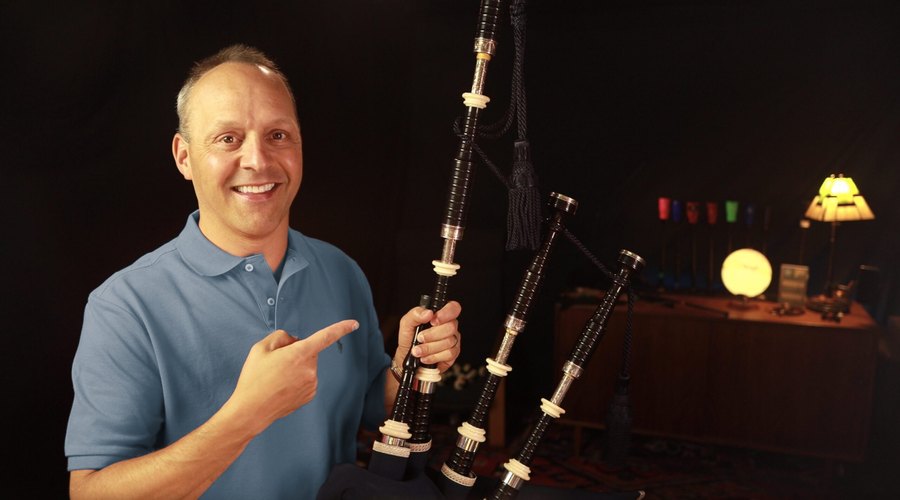
▶ Video lessonTuning time-lapse
Bagpipe Tuning Time-Lapse: A Detailed Step-by-Step Guide to the Perfect Bagpipe Tuning Process
This is my whole bagpipe tuning process, start to finish. From 1:45 to 8:45 is a silent time-lapse of the full 35-minute session at 500% speed, so keep an eye on the Braw Tuner. Then I walk through each step: tune the drones, add the chanter, keep playing so the pipes warm up, and fine tune with tape and reed adjustments.
The Main Ideas
I wanted to show you the entire tuning process, start to finish, using the InTune Mic, the Braw Tuner and the Piper’s Advantage Phone Mount. As far as I know, this is the first time-lapse video of the whole process.
From 1:45 to 8:45 is a silent time-lapse of my full 35-minute session, sped up to 500%. There is no talking there, so keep an eye on the Braw Tuner. After that, I walk through every step and explain what I did.
The big idea is to alternate between tuning the drones, tuning the chanter and playing, so the pipes stay warm and settle. By performance day, you want only minor adjustments left.
At a glance
| The time-lapse | Silent, from 1:45 to 8:45. The full 35-minute session sped up to 500% |
|---|---|
| Tools | InTune Mic, Braw Tuner and Piper's Advantage Phone Mount |
| Braw Tuner | Shows all nine chanter notes at once |
| Drone order | Outside tenor first, then the bass drone, with the middle tenor shut off until the end |
| Key rule | Keep playing so the pipes stay warm and stable |
| Top-hand notes sharp | Raising the reed flattens them. Sinking it sharpens them |
| Pitch in this video | 468 Hz, which is concert B-flat plus 2 Hz |
| On performance day | Warm up, tune the drones, and make only minor chanter adjustments |
Video highlights
“These tools speed up the process and give you confidence in your setup. You don’t need to rely on just your ear.”
“Warming up is essential because the pitch will rise and stabilize, resulting in more consistent tuning.”
“Just like a metronome helps you develop your internal sense of timing, using tuning tools will help you refine your ear, giving you a better sense of accurate tuning.”
“Ideally, I don’t want to be moving tape on the chanter on performance day.”

Free guideBagpipe Tuning Made EasyA free tuning class and PDF guide: tune your drones and chanter by ear and with tuner apps, and fix drifting pitch and wavering drones.
Get the free guideThe gear in this video
 InTune MicA wireless clip-on microphone for smartphones. It clips onto your drones or chanter and works with any tuning app.Learn more →
 Piper's Advantage Bagpipe Phone MountAttaches your phone to your pipes, so your tuning app is at your fingertips at home, at band practice or at a Highland games.Learn more →
 Tone Protector Chanter CapThe cap I take off my chanter before I start tuning, and the one I uncap on performance day.Learn more →
 The Banjo Breakdown (Jig)One of the most popular jigs, with an exciting, upbeat melody. A great tune for pipers of every level.Learn more →
Your questions, answered
Tap a time to watch that part of the video.
What does the whole bagpipe tuning process look like from start to finish?
I made what I believe is the first time-lapse of the entire tuning process: a full 35-minute session sped up to 500%. It runs silently from 1:45 to 8:45, so keep an eye on the Braw Tuner.
What tools do I need to tune my bagpipes with a phone?
I use the InTune Mic, a wireless clip-on microphone that works with any tuning app, and my favorite app, the Braw Tuner, which shows all nine chanter notes at once. The Piper's Advantage Phone Mount attaches your phone to your pipes so the tuner is always at your fingertips.
How do I tune the drones and the chanter?
Tuning alternates between playing, tuning the drones and tuning the chanter. Keep playing so the pipes warm up and stabilize. You can tune each drone with the tuner and mic, or tune one drone and match the others by ear.
What order should I tune my drones and chanter in?
I tune the outside tenor first and then match the bass drone, with my middle tenor reed shut off to speed things up. Then I take the Tone Protector Chanter Cap off and put the chanter in. The chanter adds more pressure, so the drones need to be re-tuned.
Why do I need to warm up my pipes before I tune?
Warming up is essential because the pitch will rise and stabilize, which gives you more consistent tuning. You don't want to do too much fine tuning before the pipes are warmed up.
Can tuning tools help me learn to tune by ear?
Yes. Just like a metronome helps you develop your sense of timing, tuning tools help you refine your ear. You can rely on the tuner and mic, and you will also know you are on the right track as the sound improves and becomes more pleasing to your ear.
What should I do when my top-hand notes are sharp?
I pull out the reed, apply some waxed hemp, adjust, and reinsert it. Raising the reed flattens the top-hand notes, and sinking it sharpens them. Then I play slow notes up the scale and make tape adjustments as needed to high A, high G, F and E.
How do I make final tape adjustments to my chanter?
I pause the chanter, refresh the tuner, and make final tape adjustments to high G, D, C and low A. Adding or removing tape has a noticeable effect on the pitch and stability of specific notes.
How do I do a final check once my pipes are tuned?
I tune the drones one more time, make a few small tape adjustments, and play a few jigs to see how everything is coming together. This is the final check for stability.
How should I approach tuning on performance day?
Build your sound in the days and weeks before, so on the day you can uncap your Tone Protector, play for a few minutes, get the drones tuned and locked in with your low A, and make only minor chanter adjustments. Ideally, I don't want to be moving tape on the chanter on performance day.
Each week, the Inner Circle's lively sessions are designed to benefit pipers of all skill levels, all around the world.
LEARN FASTER. FIND GREATER ENJOYMENT FROM YOUR PIPING. JOIN ME.
Join the Inner CircleFull video transcript
0:01 Introduction to Bagpipe Tuning
Hey everyone, welcome back to the channel! I’m Jori Chisholm, Today, I have something really exciting and a little different to share with you. We’re going to take a unique look at the entire bagpipe tuning process from start to finish. I’ll be using the InTune Mic, the Braw Tuner, and the Piper’s Advantage Phone Mount—tools that help you get tuned up with confidence and precision.
You are going to get the detailed behind-the-scenes view of what goes into getting perfectly in tune on the bagpipes, and I think it’s going to be both insightful and fascinating. I’ll show a cool super fast timelapse video, of the entire tuning process, and then we’ll break it down step by step so I can explain exactly what I did. This way, you can learn the exact process that the pros use to tune their pipes. Whether you’re new to bagpiping or an experienced piper, you’ll get an up-close perspective of the tools and techniques needed to get these incredible instruments perfectly in tune and ready to play. Let’s dive in!
0:32 Tools for Perfect Tuning
Now, let’s jump into a super-fast time lapse video of the entire tuning process. As far as I know, this is the first-ever video time lapse showing the entire tuning process. This part is going to be really exciting because you’ll see the complete 35-minute tuning journey condensed into just a few minutes. We’re speeding it up to 500%, so you can get a sense of the entire process in a flash. It’s fast, but keep an eye on the Braw Tuner.
You’ll see me go through every stage—putting everything together, setting up the tuner and mic, warming up the drones, to finally getting everything perfectly tuned. Here we go!
8:45 Tuning Tools: InTune Mic, Braw Tuner, Piper’s Advantage Phone Mount
Now, let’s take a closer look at the tools that make this whole process not only accurate but also efficient and confidence-boosting. First up, we have the InTune Mic—a wireless clip-on microphone for smartphones. It clips on easily to your bagpipes, whether you’re tuning the drones or the chanter. It’s lightweight and works seamlessly with all mobile devices, making tuning easy and accessible. It’s compatible with any tuning app, although my favorite is the Braw Tuner.
Braw, is scottish slang for great and this app really is great! It works for both drones and the chanter, and it is unique in how it displays all nine notes of the chanter at once. Unlike traditional tuners that show one note at a time, the Braw Tuner listens, averages the readings, and shows you the full picture. This allows you to adjust one note or see how everything is balanced, making it much easier and faster to get your pipes perfectly in tune.
Finally, we have the Piper’s Advantage™ Bagpipe Phone Mount. This allows you to attach your phone to your pipes keeps your tuning app at your fingertips, whether you’re tuning at home, on the go, at a band practice, or at a Highland games. Having your phone mounted on your pipes means you can use it anywhere with total convenience.
These tools speed up the process and give you confidence in your setup. You don’t need to rely on just your ear. By following this process, and with the help of the Braw Tuner and InTune Mic, you’ll have everything you need to get your pipes sounding amazing.
10:21 Drones and Chanter Tuning Process
Tuning the pipes is a process that alternate between playing the pipes, and tuning the drones and the chanter. You want to keep playing to let the pipes warm and and stabilize and adjust the drones and chanter until everything is dialed in.
You can tune your drones with the Braw Tuner and InTune Mic, tuning each drone individually, or, as I often do, use the mic and tuner to tune one drone and tune the others by ear to match. Many pipers will go through the whole tuning process with the middle tenor turned off and then turn it on at the end. That’s what I do here. The goal is to get the drones perfectly steady.
Chanter tuning involves adjusting individual notes on the chanter to ensure they are all in tune with each other and with the drones. Sometimes this means using tape on specific holes or adjusting the depth of the reed in the reed seat to sharpen or flatten the top-hand notes. Each small adjustment makes a big difference in achieving that cohesive sound.
Throughout the entire process, it’s a matter of fine tuning the drones and the chanter notes, and playing continuously to keep the pipes warm—alternating between these three (drones, chanter, and playing) until everything is perfectly in tune or you get to the point where things are good enough.
Now, let’s take a detailed look at the entire tuning process and I’ll explain what’s happening every step of the way, so you can really understand how each part of the tuning comes together.
11:56 Step-by-Step Tuning Walkthrough
I get started by tuning the outside tenor first and then match the bass drone. Notice how I’m using the InTune Mic and the Braw Tuner to make precise adjustments, and I’ve shut my middle tenor reed off to speed up the process.
Now, I get my pipe chanter and remove the Tone Protector Chanter Cap, And adding the chanter means there’s more pressure, so the drones need to be re-tuned to account for that.
Now, I place the InTune Mic on the chanter and begin warming it up by playing a tune. Warming up is essential because the pitch will rise and stabilize, resulting in more consistent tuning. You don’t want to do too much fine tuning before the pipes are warmed up.
Now we’re into the back and forth process. I’m tuning the drones, then checking the chanter notes, and switching back and forth between the two. This process repeats as things settle. At this point, you can rely on the tuner and the mic, but you’ll also know you’re on the right track as the sound improves and becomes more pleasing to your ear.
13:43 Tips for Fine-Tuning Your Ear and Using the Tuner
Quick side note: Tuning tools like the Braw Tuner and InTune Mic will not only help you get your pipes in tune but also teach you how to tune by ear. Just like a metronome helps you develop your internal sense of timing, using tuning tools will help you refine your ear, giving you a better sense of accurate tuning.
You’ll see here that the top hand notes are sharp, so I pull out the reed, apply some waxed hemp, adjust, and reinsert it. Reed adjustments, like adding hemp, significantly impact tuning stability, especially for the top-hand notes. Raising the reed will flatten the top-hand notes, while sinking the reed will sharpen them.
14:39 Adjusting Chanter Position and Fine-Tuning Individual Notes with Tape
Now I’m playing slow notes up the scale and making tape adjustments as needed to high A, high G, F, and E. Playing slowly helps me identify which notes are sharp or flat, listen carefully, and make sure the tuner is getting a clear reading as I make these small adjustments to stabilize the pitch.
I resume playing here, keep playing and making adjustments as needed. There are no strict rules here—you could just focus on chanter tuning and then retune your drones at the end, but having the drones in tune helps you hear when the chanter notes are really in tune. Your ear is always a great companion to using the tuner and mic. I’m playing one of my favorite jigs, “The Banjo Breakdown.” Keeping the pipes warm and re-tuning is important to assess the overall balance.
17:15 Final Drone and Chanter Adjustments
Now I’m doing more of the same: playing, listening, and using the tuner to help make fine adjustments as needed. I pause the chanter, refresh the tuner, and make final tape adjustments to high G, D, C, and low A. Adding or removing tape has a noticeable effect on the pitch and stability of specific notes.
I play some Pìobaireachd with long tones to ensure everything is in tune. playing, listening, and making fine adjustments as needed.
18:59 Checking for Consistency and Sound Quality
Finally, I tune the drones one more time, make a few more small tape adjustments, and play a few jigs to see how everything is coming together. This is the final check for stability, and I celebrate getting the pipes perfectly in tune. It’s all about patience and precision, and here you can see the effort has really paid off.
19:48 Final Tuning Tips for Performance
This is the basic process I do every time I tune my pipes—though usually, it doesn’t take quite as long. In this case, it was a new reed in a new chanter, setting up for a specific performance: a concert with Galician piper Carlos Núñez. To play with him and his band, I needed to be right at 468 Hz, which is concert B-flat plus 2 Hz, his preferred pitch. If I were tuning to play on my own or with a band, I would still follow the basic process: get out my phone with the Braw Tuner and InTune Mic, and start playing, alternating between tuning the drones and the chanter while practicing my tunes. My goal is to have my pipes feeling comfortable, efficient, and stable, and have th tuning dialed in so that when it comes to competition or performance day, my tuning process is really about warming up the pipes, getting the drones tuned and locked in with my low A, and making any final hopefully MINOR adjustments to the chanter. Ideally, I don’t want to be moving tape on the chanter on performance day. You build a great sound in the days and weeks leading up to your performance so when the big day comes you can simply uncap that Tone Protector from your chanter, play for a few minutes, get the drones tuned, and go!
You love to play your pipes, and you love to play them so much more when they feel great, sound great, and stay in tune. You deserve to have a perfectly tuned bagpipe, so check out the links below for where to get your InTune Mic, Piper’s Advantage™ Bagpipe Phone Mount, and where to download the Braw Tuner.
Also, I’d love for you to join the BagpipeLessons.com Inner Circle! By becoming a member, you’ll gain access to exclusive tutorials, in-depth lessons, and resources designed to help you take your piping to the next level. Whether you’re aiming to perfect your technique, learn new tunes, or gain insights from top pipers, the Inner Circle provides all the support you need. Plus, you’ll have access to a vibrant community of fellow pipers to share your journey with. More info about my Inner Circle is at https://bagpipelessons.com/membership/
Please like this video, subscribe to my channel for more bagpiping content, and hit that notification bell so you don’t miss any upcoming lessons or performances. Your support helps me grow this channel and continue creating more tutorials and content for the piping community. If you have any questions or comments, feel free to drop them below. Thanks again for watching, and happy piping!
My exact words from the video, lightly cleaned up for reading. Click any time to jump the video to that moment.

About Jori Chisholm
Jori started BagpipeLessons.com in 1999, and in 2003 he became the first piper to teach one-on-one lessons by video. His online teaching has been featured on the front page of the New York Times, and thousands of pipers around the world have used his lessons, tools and products.
He is a four-time U.S. Gold Medalist for Piping, has won prizes at the Argyllshire Gathering, the Northern Meeting, Cowal and Braemar, and won the World Pipe Band Championships three times with the Simon Fraser University Pipe Band. He invented the Tone Protector, the InTune Mic and the Endurance Practice Chanter, and in 2011 he founded the World Online Piping & Drumming Championships.
More about Jori →
The Inner Circle
Ready to take your piping further?
Get unlimited access to 790+ lessons, videos and tunes, plus a live Zoom class with me every week. Every replay is searchable to the exact moment anything was taught.
$399/year works out to $33.25 a month$45/month month to month
For pipe bandsBring your whole band into the Inner Circle
Every piper gets their own login, and we start with a band coaching session on Zoom with me to map out your season. From $10 per piper per month.See band memberships →